OurDream AI Login Guide
- Find the login button at the top of the official OurDream AI website.
- Sign in using your Google account or email.
- If you're new, register first—OurDream AI is for adults 18+ only.
Getting into your OurDream AI account
Logging in for the first time after signing up feels straightforward. The login button sits clearly at the top of the official OurDream AI site. Here’s how to get started:
- Go to the official OurDream AI website.
- Click the "Login" button at the top of the page.
- Choose to sign in with Google or with your email.
- If using Google, follow the prompts to connect your account.
- If using email, enter your email and password, then confirm.
- You’ll be directed straight into your account and can start exploring.
Both sign-in methods are shown on the login screen. You only need to choose once—later logins are just as quick.
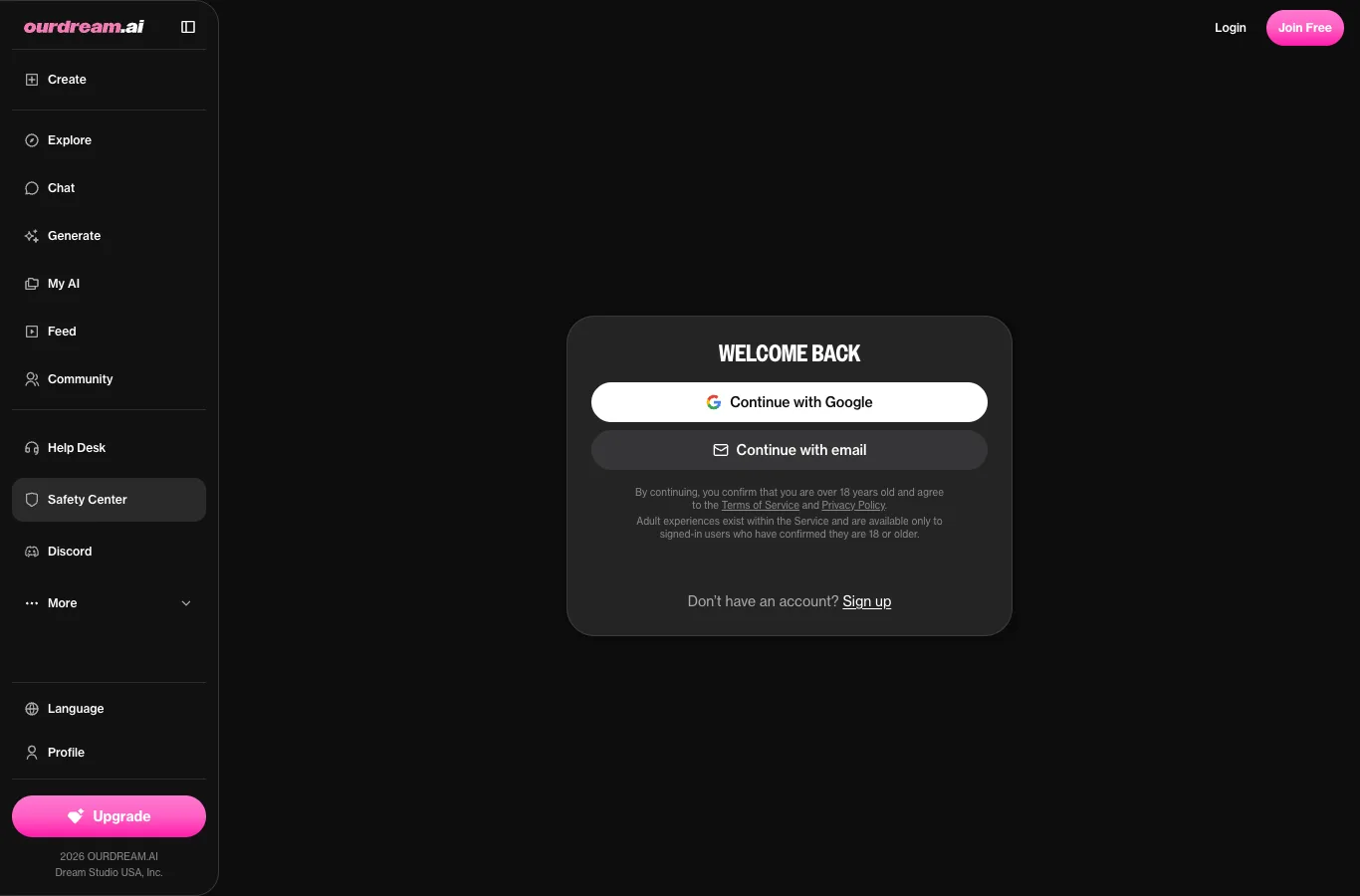
Sign up before you log in
Registration on OurDream AI is simple. You’ll confirm you’re 18 or older when signing up, which is required for all users. In some regions, you might also go through third-party age verification.
A free account gives you limited messages and a small balance of dreamcoins to try out premium features. This is enough for a taste, but if you want unlimited messages, more coins, and media generation, paid plans unlock these extras. You don't need to pay to start chatting with AI characters and see what fits your style.
Mobile sign-in
You can log in to OurDream AI right from your phone’s browser—no download needed. The platform is a web app, but you can install it as a PWA and have it on your home screen like any other app. Signing in on mobile works just like on desktop: Google or email.
Once logged in, you’ll usually stay signed in on your device until you log out. This makes chatting on the go easy, but remember to log out if you’re on a shared or public device.
Secure your OurDream AI account
Choose a unique, strong password if you register by email, and don’t reuse passwords from other sites. If you use a shared device, log out fully after each session to keep your conversations private. Make sure your email is secure, since it’s your main way back into the account if you forget your password.
The brand says all private chats are end-to-end encrypted, and no one else can read your conversations—not even character creators or staff.
Log out, cancel, delete — what's the difference
Logging out just ends your session on a device—your account, subscriptions, and chats stay untouched. Cancelling your subscription stops future renewals, but your account and chats remain until the end of the paid period. Deleting your account is different: it erases your profile and all private chats.
To manage your subscription, visit the upgrade or account settings page on the official site. If you want to delete your account, look for the delete option in your account settings. Make sure to cancel any active subscriptions before deleting, so you don’t lose access prematurely.
What to do after you log in
After you log in, you land in a catalogue filled with millions of community-made AI characters. Browse by style—realistic or anime—then pick someone who catches your eye, or create your own. Each character has its own profile showing the creator, like count, and message statistics.
From there, you can start chatting right away. You’ll find options for text chat, audio messages, voice calls, and even image or video generation of your chosen character. Your earlier conversations are remembered, letting each character adapt over time.
Still can't log in? Contact support
If you’re locked out, reach out to the official OurDream AI support team. When you contact them, include:
- The email address linked to your account
- How you tried to log in (Google or email)
- Any error messages you saw
- When the issue started
- Confirmation you’re over 18
Contact by email at [email protected], or visit their help centre for answers. Our review site can’t access or fix account issues directly.
FAQ
Where is the OurDream AI login page?
You'll find the login button at the top of the official OurDream AI website. Clicking it brings you to the sign-in page, where you can choose between Google or email login.
How do I delete my OurDream AI account?
You can delete your account from the account settings on the official site. It's a good idea to cancel any subscription first, as deleting also removes your profile and all your chats.
Why can't I log in to OurDream AI?
Check that you're using the correct login method (Google or email), and double-check your password. If problems persist, reach out to their support team with your account details and error message.
Can I use one OurDream AI account on several devices?
Yes, you can log in to your OurDream AI account on both desktop and mobile browsers, or install it as a PWA on your phone. Your conversations and settings follow you between devices.
Is this the official OurDream AI login?
No—this is an independent review site. For logging in, always use the official OurDream AI website and its login button.